

Collection import guide
Bring your list. Review every copy.
A spreadsheet can give your collection a useful head start. Begin with a small file, keep the original, and use the preview to check exactly what will be added before you confirm.
1. Export a file the importer understands.
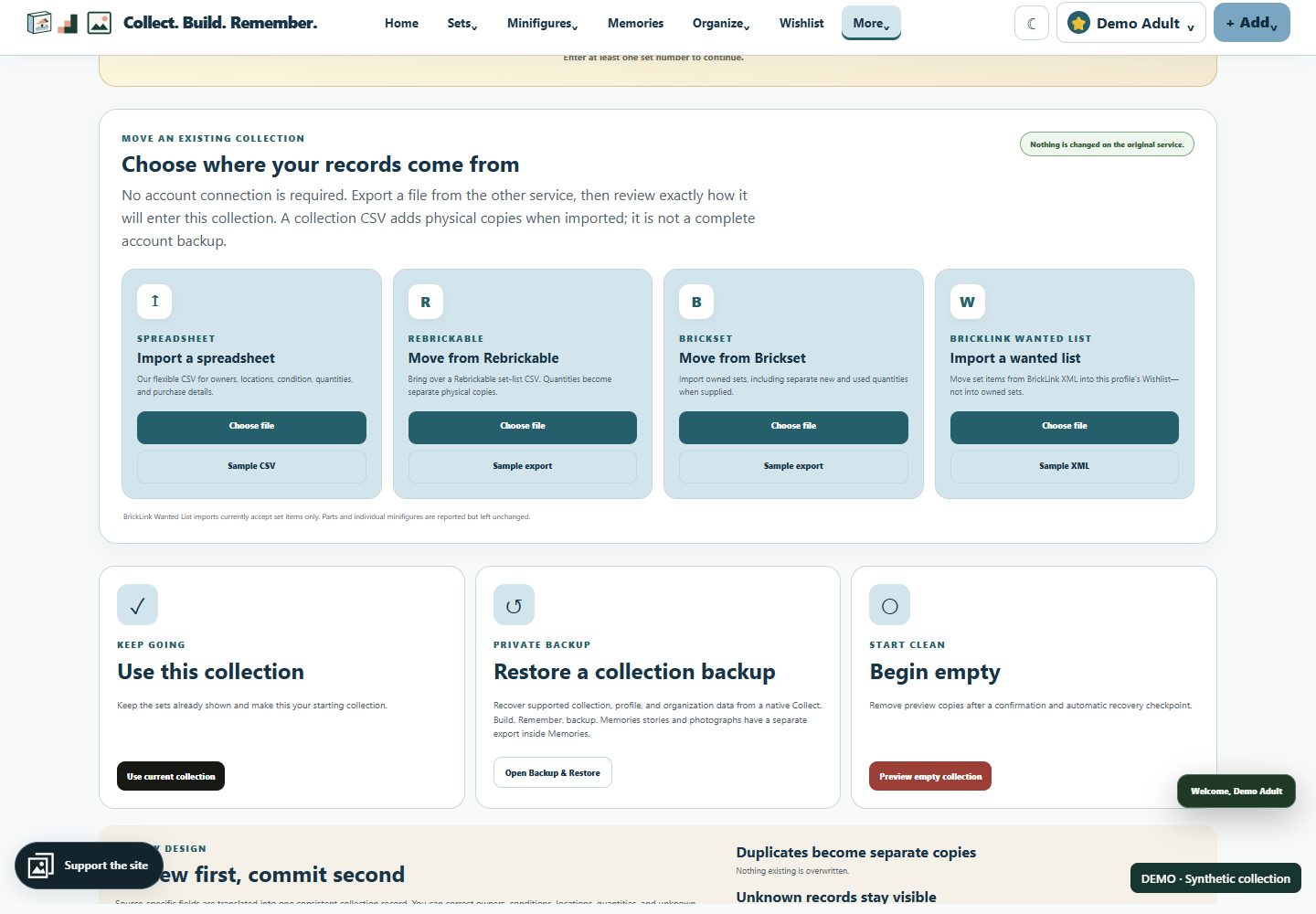
Open Collection setup and find “Choose where your records come from.” Choose the card that matches your file. There is no direct account connection to another collecting service, and importing here does not change records on that service.
- Spreadsheet
- A CSV file using the collection columns below. Export an Excel or Google Sheets worksheet as CSV first; an XLSX workbook is not a supported upload.
- Rebrickable
- A Rebrickable set-list CSV. Review the set numbers and quantities as owned copies.
- Brickset
- A supported owned-set CSV or TSV export. When separate new and used quantities are present, the preview distinguishes those conditions.
- BrickLink Wanted List
- Wanted List XML imports set items into Wishlist. It does not add owned copies. Parts and individual minifigures are reported and skipped.
Use the sample file on the matching import card if you need a format reference. A CSV is a table of collection rows, not a complete account backup.
2. Start with a few clear columns.
For a generic CSV, include a header row with Set Number. Quantity, Owner, Condition and Location make the first review easier. Name and Price Paid are useful when you have them. Other supported columns include Theme, Year, Pieces, Minifigures and Value; Value is your recorded estimate, not a live appraisal.
Quantity must be a whole number from 1 to 99 for each imported row. Missing quantity defaults to one, and missing condition defaults to Built, so review those defaults. Use an existing profile name for Owner; correct an unknown owner in the preview. Conditions are Built, Sealed, Incomplete and Open / Unbuilt.
Synthetic example — two set identities, three physical copies.
Set Number,Name,Owner,Condition,Location,Quantity
10305,Lion Knights' Castle,Demo Adult,Built,Display shelf,1
10497,Galaxy Explorer,Demo Adult,Sealed,Storage box 02,2
Download the built-in CSV sample. The downloadable sample includes additional columns and illustrative owners, locations and prices. Replace them with your own information. For the smaller example above, replace Demo Adult with your existing profile name. Example records are not automatically added to your account.
Leave an unknown purchase price blank. If a row has several copies and a price, choose whether that price is per copy or for the whole row. Do not turn an unknown price into a guessed zero just to fill a cell.
3. Check the preview before confirming.
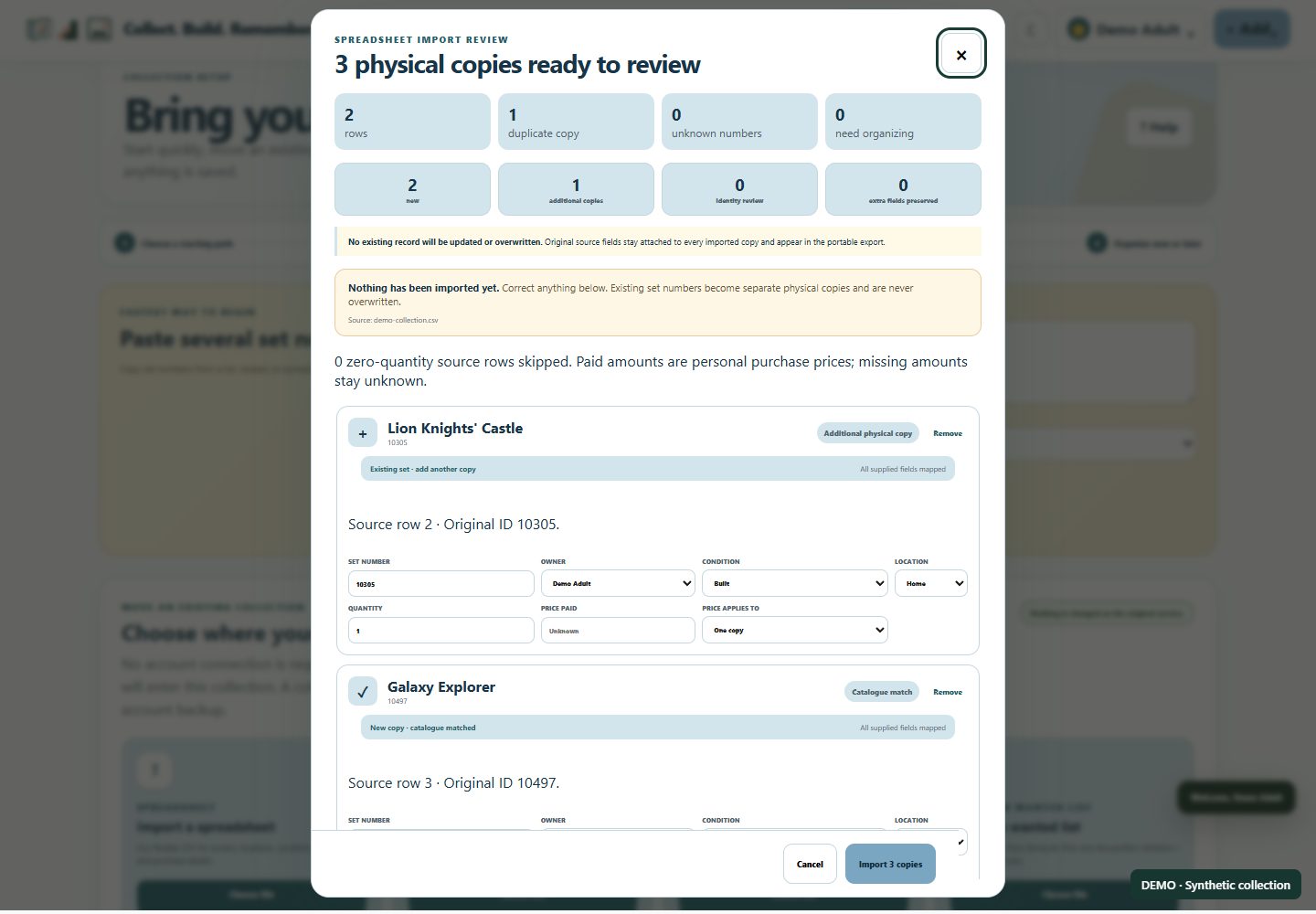
Choose file on the appropriate card. Check the matched set identity, owner, condition, location, quantity and any warnings. Correct or remove rows that are not ready. Keep ambiguous catalog matches out of the import until you can identify them.
A quantity of two creates two physical copy records. A set number already in your collection is highlighted as an existing item; importing another copy does not overwrite the old copy. That can be correct for a second sealed set, or a mistake if you exported the same records twice.
The importer also identifies a previously imported batch. Repeating it requires a deliberate choice. Renaming a file is not a reliable way to make it a new collection; review why the duplicate warning appeared.
4. Confirm, then check the saved result.
Use the confirmation button only after the preview is correct. Wait for the saved import receipt, then open a few added copies and compare them with your original file and physical collection. Do not submit the same batch again just because a response is slow.
If the save reports a problem, read its status and follow the offered recovery or retry action. Keep the original file and existing records while you resolve it. An available Undo applies to that import and its current records; it is not a promise to erase later edits or recover every possible change.
Use Backup and restore when you need a supported restorable account backup. A collection CSV, a readable report and a Memories keepsake have different purposes. Keep any private exports somewhere only the intended people can access.
Try the collection tools.
Browse the catalog without an account, or visit the account page to check current signup availability. Existing collectors can sign in there.
One household account can contain multiple profiles. Adult Mode protects account-level actions. Photos and child-written Memories are not available.